I apologize to all my non-photographer readers. This is yet another photography post. I tried to write about something else--I spent days trying to formulate into words some thoughts on God, heaven, and creativity--but the resulting post just wasn't very good. So, it will remain a draft for awhile until I either do the work to make it better or scrap it all together. In the mean time, another photography post it is.
Jill and I were recently in a discussion over email about the merits of using actions or presets when editing. Actions (in Photoshop) or presets (in Lightroom) are a series of edits that can be applied to a photo with a single click of a button. Some actions allow the user a lot of freedom to make adjustments, others do not.
Jill asked to see a photo with a simple, clean edit and then edited again with actions/presets. I have Photoshop Elements so these photos were edited with actions or with textures (when a photo is overlaid over another photo and then the two are blended together). I ran the actions or added the textures after I had done my initial clean edit (in other words, I didn't apply the action to the original, straight-out-of-the-camera photo).
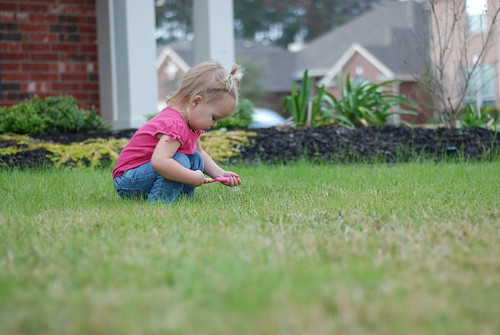
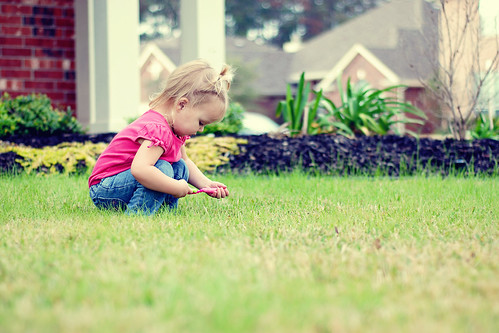
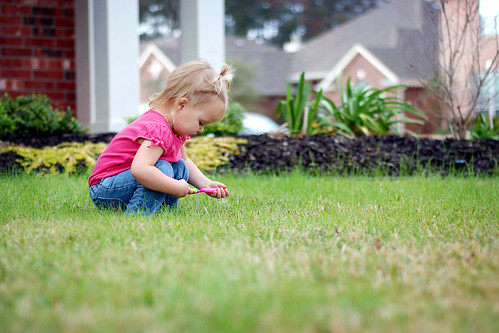
Here's the original of Clara playing in our front yard (with a toothbrush??):
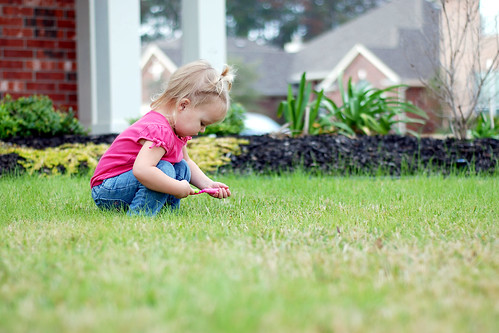
This following is my clean edit. I adjusted white balance, cropped, straightened, brightened, adjusted the contrast and sharpened. It sounds like a lot but all those adjustments can be completed in about 2 or 3 minutes or less.
Here's an edit with an action (the free mini fusion action from
MCP Actions). Funky tones. Not a typical edit for me.
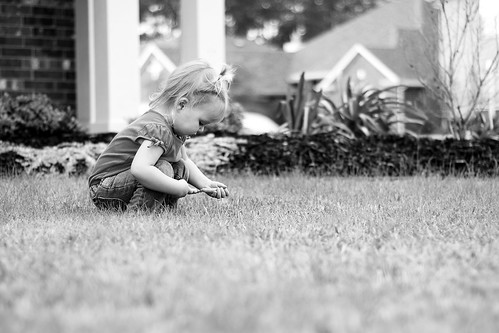
It seems as though creating a black and white photo should be easy, but I find it to be fairly challenging and I appreciate the help of an action. This black and white was edited using a free action by
The Pioneer Woman. A bit contrasty for me in this photo, but okay.
Next I applied a free texture by
Jessica Drossin. It slightly changed the tones and contrast and added a bit of a vignette to the edges.
Finally, here's another texture, this time from
Sarah Gardner, applied to reduce contrast and to soften and lighten the entire photo.
So, there you have it. One photo edited 5 different ways using a few of the free actions/textures I have collected over time. Feel free to shout out a favorite in the comments. I generally like clean edits, especially with photos of people, but I'll use other editing tricks at times.
And, if you are a photographer, what is your opinion about the use of actions/presets? Are they good or bad for photography or neutral?
P.S. If you want to see some truly amazing photography and dramatic editing, click on the links for Jessica Drossin or Sarah Gardner. They are amazing artists!